EOS2 Applications
Manual silo inventory, for when a plumb bob doesn't cut it
The EOS2 captures a full 3D scan of the material inside a silo, with data comparable to portable LiDAR scanners, at a fraction of the price. Lower it through the roof hatch, scan in about three minutes and measure the real volume.
The problem
A plumb bob measures one point. Your inventory isn't flat.
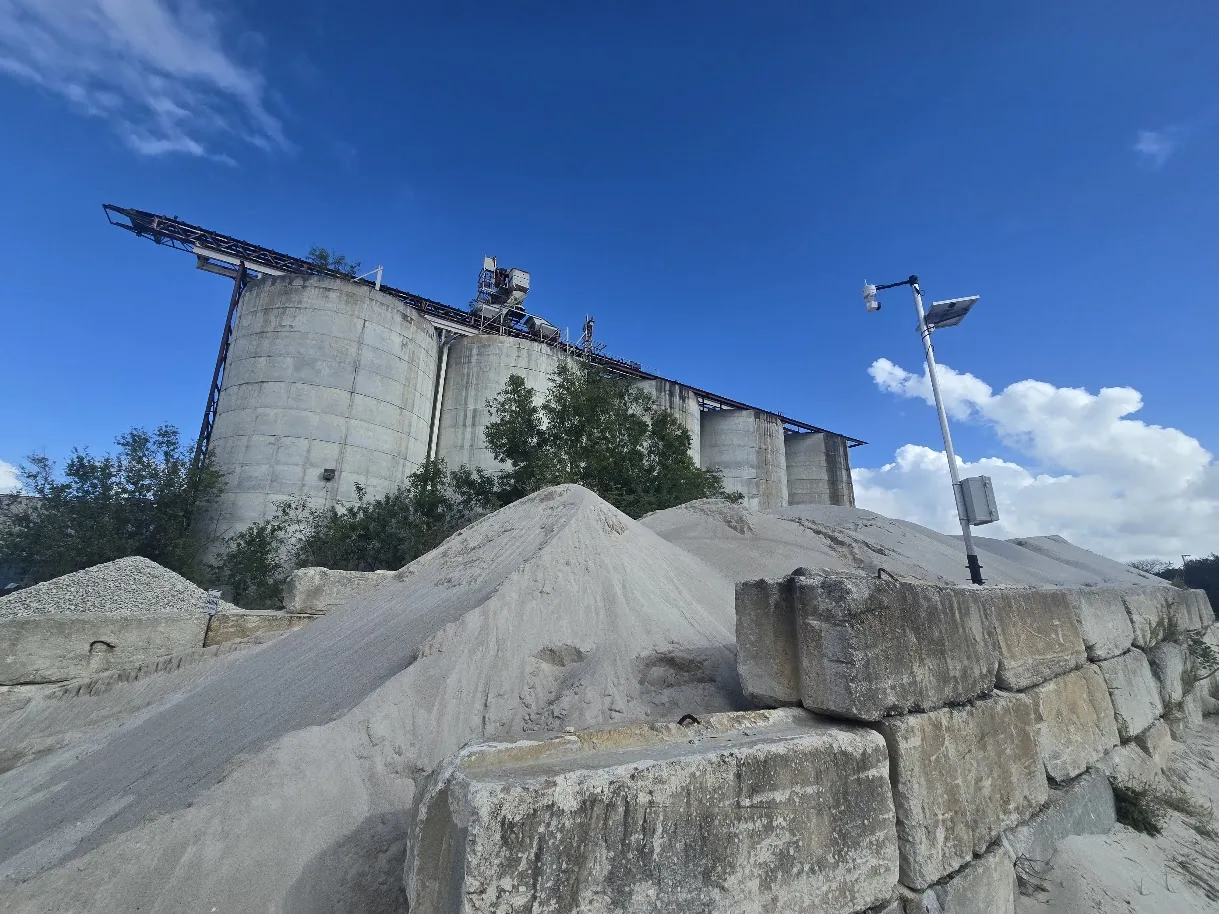
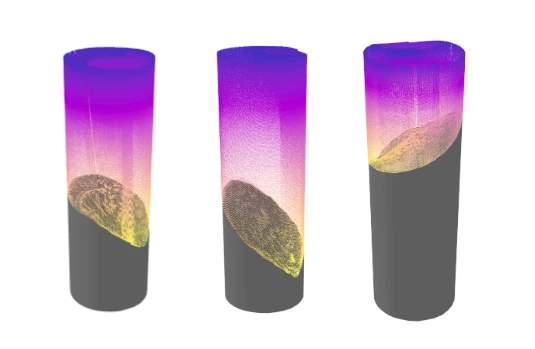
Dropping a weighted tape or plumb bob through the hatch gives you a single depth reading. Material in a silo cones up under the fill point, draws down in a funnel over the outlet and clings to the walls, so one reading can be far from the real volume.
Portable LiDAR scanners solve that with a full 3D picture of the material surface, but they are priced for professional survey work. For a plant that just needs a trustworthy inventory number a few times a month, that is hard to justify.
Compare
Plumb bob, portable scanner or EOS2
The EOS2 gives you the 3D data of a portable LiDAR scanner for a fraction of the price.
| Feature | Plumb bob or weighted tape | Portable LiDAR scanner | EOS2 LiDAR sensor |
|---|---|---|---|
| What it measures | One depth at one spot | Full 3D surface | Full 3D surface: a 360° x 180° point cloud |
| Inventory accuracy | Assumes a flat surface; misses cones, funnels and wall buildup | Survey-grade volume from the measured surface | Comparable point cloud data, measured in Hyperion |
| Cost | Very low | Priced for professional survey work | A fraction of a portable scanner: $2,750, or $100/month to lease |
| How it is used | Lowered by hand at the hatch | Set up at the opening by a trained operator | Lowered through the hatch and started wirelessly from outside |
| Record you keep | A number on a clipboard | Point cloud | Point cloud you can re-measure and compare over time |
How it works
How a manual silo scan works
The EOS2 is small, runs on 12 VDC and talks over Wi-Fi and Bluetooth, so it goes wherever you can lower it.
Lower the sensor in
Secure the EOS2 to a pole or tether through its standard 3/4" NPT mount and lower it through a roof hatch or access port, with a portable battery for power.
Run a spherical scan
Start the scan wirelessly from outside. The EOS2 sweeps a full 360° x 180° sphere at 1° resolution in about three minutes, capturing the material surface, walls and roof at once.
Add positions if needed
For tall silos, scan from more than one height and merge the point clouds into a single model of the interior.
Get the volume
Open the point cloud in Hyperion to calculate the volume of material, apply its bulk density for tonnage and keep the scan for next time.
Follow your site's confined-space and working-at-height procedures when working at silo openings.
Interactive 3D
See the data quality for yourself
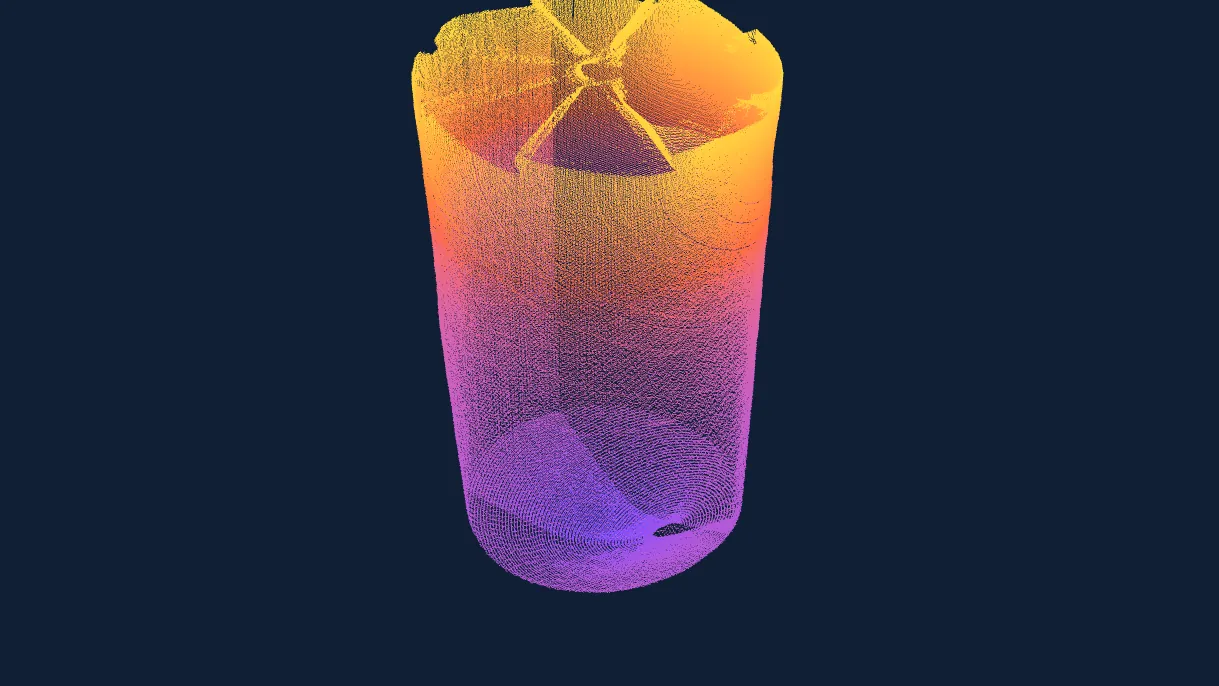
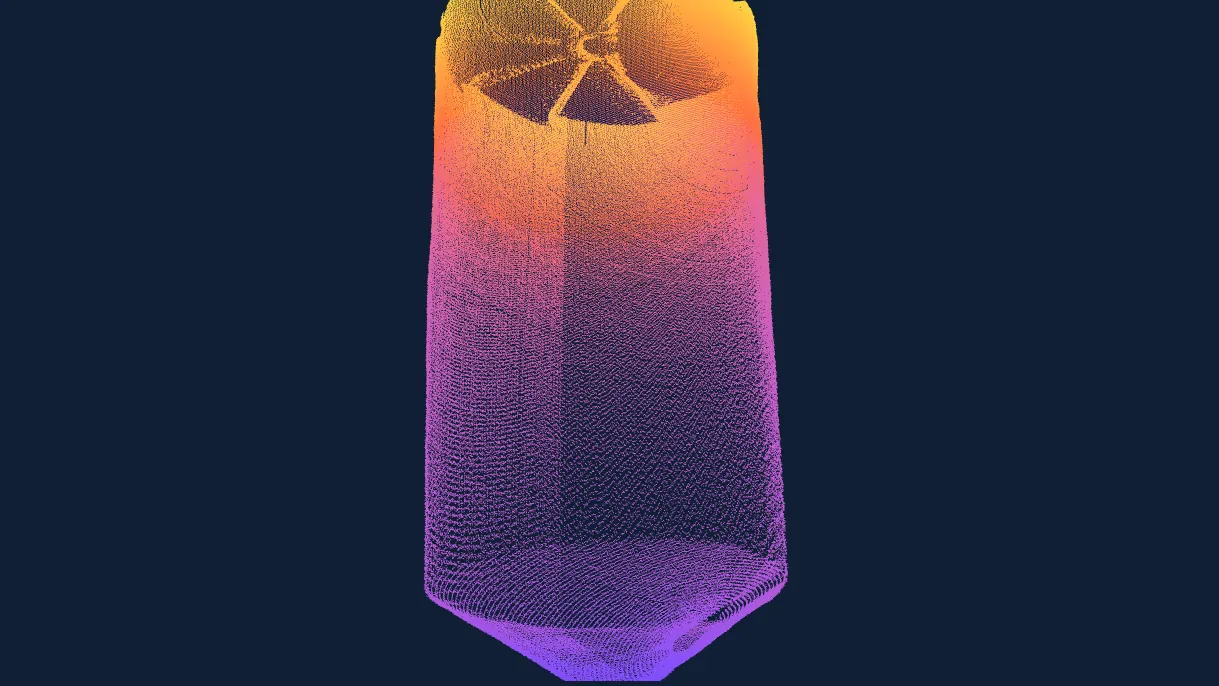
Real silo scan data, rendered live in your browser. Rotate, zoom and pan to inspect the walls, the roof structure and the cone.
The reference point cloud from an EOS2 scanner, captured inside a silo and colored by height.
Loading 3D model… (7.8 MB)
The material surface mesh generated by Hyperion from the scan, the basis for its volume calculation.
Loading 3D model… (7.9 MB)
What you get
More than a volume number
Because every scan is a full 3D record of the silo, one visit answers several questions.
Real material volume
Measured from the actual surface, including cones under the fill point and funnels over the outlet.
Wall buildup
See where material is clinging to the walls or cone before you plan a cleanout.
Discharge problems
Spot bridging and rat-holing from the shape of the material surface.
History you can compare
Keep each scan and compare point clouds to track inventory and condition over time.
Need continuous data?
Mount the EOS2 permanently and let Hyperion scan on a schedule
Manual scans are ideal for periodic inventory counts. For silos, bays and storage buildings you need to watch every day, the same sensor can be mounted permanently, and Hyperion delivers automated, quality-checked volumes hourly, daily or on demand.
Silo scanning FAQ
Both produce a full 3D point cloud of the silo interior, and the EOS2 data is comparable for inventory measurement. The EOS2 costs a fraction of the price: $2,750 to buy or $100 per month to lease.
A plumb bob measures one depth at one spot. Material in a silo is rarely flat: it cones under the fill point, funnels over the outlet and builds up on the walls, so a single reading can be far from the real volume. A 3D scan measures the whole surface.
No. The EOS2 is lowered through a roof hatch or access port and started wirelessly from outside, so the scan itself does not require entry. Follow your site's procedures for work at the opening.
A full 360° x 180° scan at 1° angular resolution takes about three minutes. Taller silos may need scans from more than one height, merged into one point cloud.
Each scan reaches 100–200 ft from the scanner (200–400 ft across) depending on how visible the surfaces are.
Open the point cloud in Hyperion to calculate the volume of material and apply its bulk density for tonnage, or export it to your own analysis software.
Contact
Get a better silo count
Tell us about your silos, the material they hold and how you measure inventory today, and we will help you plan scan positions and choose the right equipment.
- +1 352-283-8003
- info@altamusinc.com
- 4936 SW 91st Ter M102
Gainesville, FL 32608