Deployment & Support
Stockpile monitoring installation, from site walk to go-live
A stockpile monitoring system is only as good as its installation. Altamus plans your sensor layout, handles EOS2 LiDAR sensor installation indoors or outdoors, configures Hyperion around your materials and trains your team, then keeps the system running.
Process
Our stockpile monitoring deployment process
Six steps take you from a first conversation to trusted, automated inventory numbers. You work with the same small team that designs and builds the hardware and software.
Site assessment and goals
We start with your materials, storage layout and reporting needs: which piles matter, how often you need numbers, who uses them and where the data should go.
Sensor layout planning
Each EOS2 scanner covers roughly 100–200 ft in every direction (200–400 ft across), depending on how visible the material is. We place scanners for clear line of sight to every pile, and multiple scanners are merged into one model for larger areas.
Installation
Indoors, sensors mount to overhead trusses or building purlins. Outdoors, they go on poles. Power comes from a 12 VDC supply or a solar panel with a battery kit.
Commissioning in Hyperion
We define pile boundaries, enter bulk densities for each material, set scan schedules, create users and roles, and configure alerts for low inventory, rapid depletion or fill events.
Training and go-live
Your team learns to read scan reports, 3D models and height maps, run on-demand scans and export data, so the system is useful from the first day.
Ongoing support
Leased sensors are health-monitored by Altamus with replacement for manufacturing defects while the plan is active. Hyperion receives free updates for life, and Pro plans include integrated support.
Installation
LiDAR sensor installation options
The EOS2 uses a standard 3/4" NPT mount, has a 1/4"-20 UNC thread for top mounting and draws little power, so the same sensor works in a storage building or an open yard.
Indoor installation
For storage buildings and covered bays, scanners mount overhead so they look down on the piles. The purlin adapter kit attaches the sensor to building purlins or trusses.
At a Newberry, Florida cement plant, four EOS2 scanners on overhead trusses measured an indoor coal stockpile within 0.55% of a certified terrestrial survey.
Outdoor installation
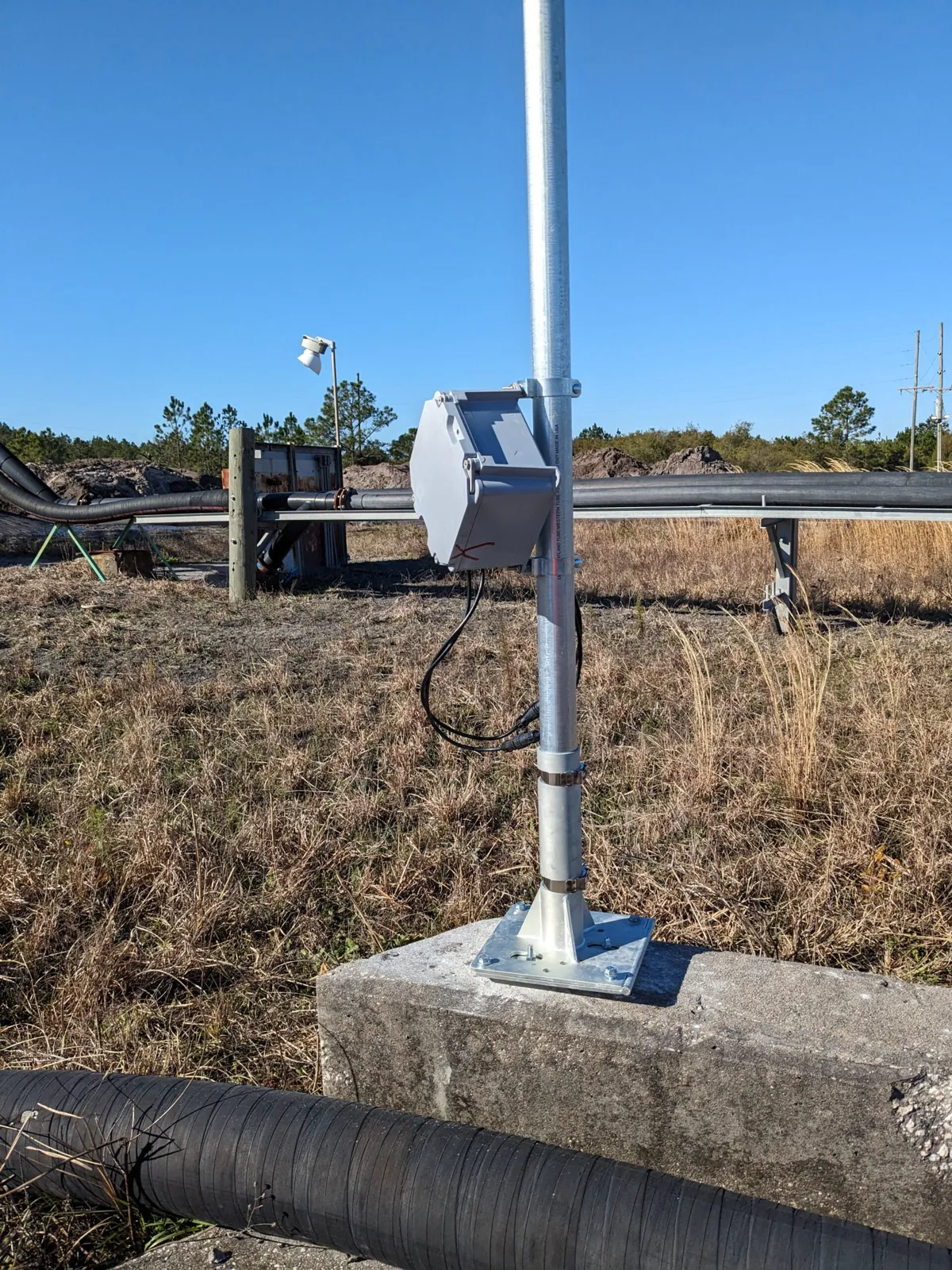
For open yards and aggregate bins, scanners mount on 10-ft or 20-ft EMT poles set in slotted or hinged bases. The IP54 enclosure is dust protected and resists splashing water.
At a ready-mix concrete plant, pole-mounted, solar-powered EOS2 sensors scan the outdoor aggregate bins.
Mounting and power kits
Installations are built from a standard set of parts, so a layout can be repeated across bins, buildings and sites. We recommend the right combination during layout planning.
| Standard pole installations | Complete 10-ft and 20-ft pole installations for outdoor sensors. |
|---|---|
| EOS adapter kit (pole) | Connects the sensor's 3/4" NPT mount to a pole. |
| EOS adapter kit (purlin) | Mounts the sensor to building purlins or trusses for indoor coverage. |
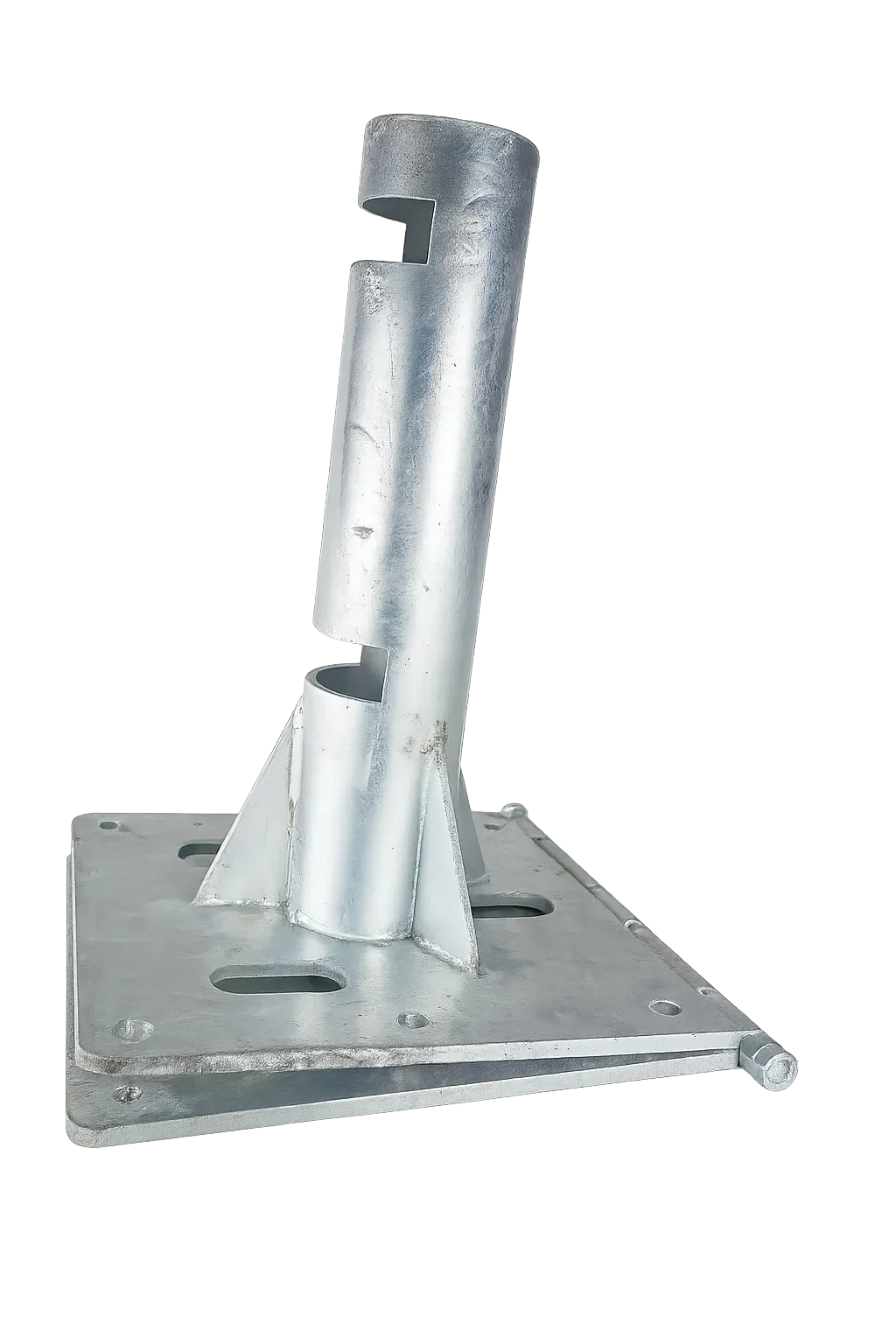
| 1-1/4" EMT mounting base | Slotted receptacle secured with concrete anchors. |
| 2" hinged EMT mounting base | Hinged so tall poles can be lowered for service and raised again. |
| 2" EMT coupler | Joins pole sections. |
| 10-ft EMT wire kit | Wires cut to length with waterproof connectors, run inside the pole. |
| 12 V solar panel kit | Panel and mounting hardware. Pair it with a battery kit. |
| Small battery kit | Battery housed in a water-resistant box. |
Kits are available individually in the Altamus shop, or ask us for a layout and complete parts list.
Power and connectivity
Low power, wireless, and simple to wire
The EOS2 runs on 12 VDC, drawing 25 mA idle, 500 mA while scanning and 2 A at peak. That is low enough to run from a solar panel and battery where utility power is not available, which keeps outdoor installation simple.
- 2.4 GHz Wi-Fi and Bluetooth, so no data cable runs across the yard
- The companion app works locally over Wi-Fi or Bluetooth, even without internet
- An internet connection and a Hyperion account are recommended for remote access, scheduled scans and alerts
- Eye-safe Class 1 laser, so scans run during normal operations with no need to clear the area
Full specifications are on the EOS2 LiDAR sensor page. To learn how scans become volumes, see how LiDAR monitoring works.
Start small
Start with a 90-day pilot or a single sensor
You don't need to instrument a whole site to see results. Prove Hyperion on your own stockpiles with a 90-day pilot, or lease one EOS2 sensor for $100 per month and add more as coverage needs grow.
- Hyperion Entry from $100 per facility per month
- EOS2 lease from $100 per scanner per month
- Bulk and multi-site pricing on request
Support
EOS2 hardware support and warranty
Buy your sensors outright or lease them. The difference is who looks after the hardware.
| Purchase | Lease | |
|---|---|---|
| Price | $2,750 per scanner | $100 per scanner per month |
| Ownership | You own the hardware | Altamus maintains the hardware for you |
| Warranty | 1-year hardware warranty | Covered while your plan is active |
| Maintenance | Maintained by you | Altamus makes sure the hardware is working properly |
| Replacements | Your responsibility after the warranty period | Lifetime replacement for manufacturing defects while your plan is active |
| Health monitoring | Ask us | Hardware health monitoring by Altamus, targeting 100% uptime |
| Hardware updates | Ask about update options | Lifetime hardware updates |
| Software | Hyperion is priced separately. See Hyperion plans. | |
Bulk pricing is available on request. See EOS2 pricing.
After go-live
Software support and training
Support doesn't stop at the sensor. The people who wrote Hyperion and built the EOS2 are the people who support it.
Free Hyperion updates for life
Every Hyperion plan receives software updates for as long as you use it.
Integrated support on Pro
The Pro plan ($500 per facility per month) adds integrated support and priority updates alongside hourly automatic data.
In-house hardware technician
Our hardware technician manufactures replacement parts, repairs field units and develops maintenance procedures for the EOS2.
Training for your team
Need help with something we do? We train your team on the tools and systems we deliver, from reading reports to managing users.
Emissions monitoring
Deploying STACguard
STACguard deployments are configured to each site rather than installed from a box. We set up the software and hardware configuration around your permit, emission sources and reporting requirements, and connect STACguard to the analyzers you already own through digital and analog inputs.
- Custom configuration of parameters, limits, averaging periods and reports
- Integration with existing analyzers from a range of manufacturers
- Remote troubleshooting, calibration triggers and instrument commands from any browser
- 24/7 phone support, embedded help documents and frequent updates
STACguard is quoted per project. Request a STACguard quote.
Deployment and installation FAQ
Common questions about installing and supporting a stockpile monitoring system. More answers are in the full FAQ.
It depends on your storage layout. Each EOS2 covers roughly 100–200 ft in every direction (200–400 ft across) depending on material visibility, and every pile needs a clear line of sight. Contact us with a site plan or photos and we will recommend a sensor layout.
Yes. Indoors, sensors mount to overhead trusses or building purlins with the purlin adapter kit. At a Newberry, Florida cement plant, four truss-mounted scanners measured an indoor coal pile within 0.55% of a certified terrestrial survey.
The EOS2 runs on 12 VDC (2 A peak, 500 mA scanning, 25 mA idle). You can supply 12 VDC directly, or use the 12 V solar panel kit with a battery kit where utility power is not available.
Not to scan. The EOS2 works locally through its companion app over Wi-Fi or Bluetooth. An internet connection and a Hyperion account are recommended for remote access to your data and alerts.
A purchased EOS2 costs $2,750 with a 1-year hardware warranty, after which you maintain it. A lease costs $100 per scanner per month and includes health monitoring, lifetime hardware updates and replacement for manufacturing defects while the plan is active.
Yes. Training is part of go-live, and we also offer training as a service for the tools and systems we deliver. See our engineering services.
Keep planning
Contact
Plan your stockpile monitoring deployment
Send us your materials, storage layout and reporting needs. We will recommend a sensor layout, mounting and power options, and a plan.
- +1 352-283-8003
- info@altamusinc.com
- 4936 SW 91st Ter M102
Gainesville, FL 32608